Platform · Jack
Run an agent on your verified data.
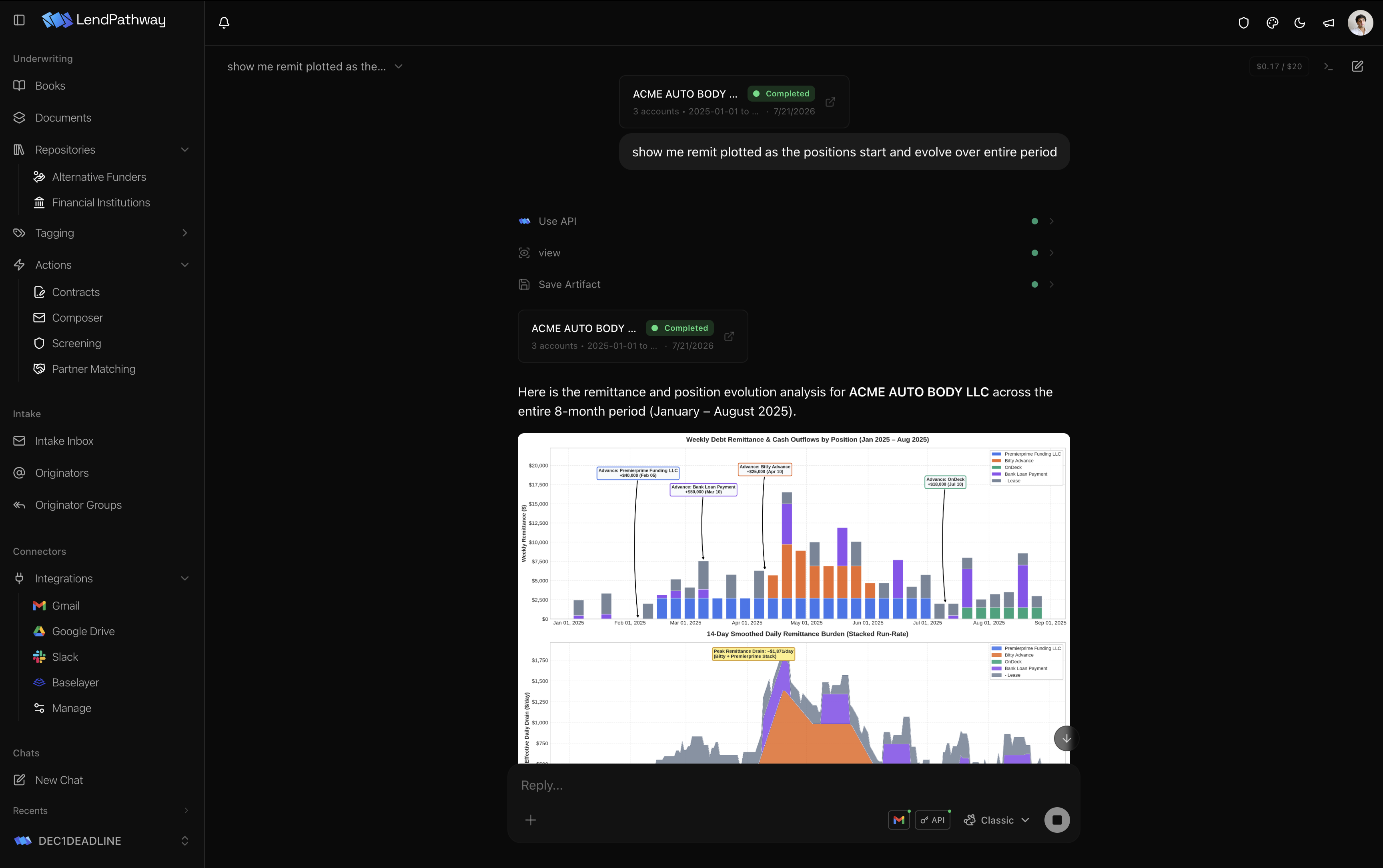
Each chat runs Jack in its own Linux sandbox with Python, a filesystem, and network access. It reads the reconciled book with your permissions, writes code to answer, and returns charts, spreadsheets, and reports. It can’t change your data, and every email it drafts waits for your approval.
A real computer
Each chat starts a Linux sandbox from a cached snapshot in seconds, with Python 3.13, root access, and pandas, numpy, scipy, duckdb, plotly, and Streamlit installed. Jack installs anything else it needs. The network is open, so anything with an HTTP interface, MCP servers included, is reachable from code.
The filesystem is the memory
Jack writes intermediate results to disk and reads them back, instead of holding everything in its context window. Tools combine because they share a disk: comparing Gmail invoices with a book’s deposits is three files and one Python script, with no dedicated integration.
Jack can also look at what it makes. It renders a chart or workbook, views the result, fixes the script, and runs it again before it answers.
It reads the compiled book
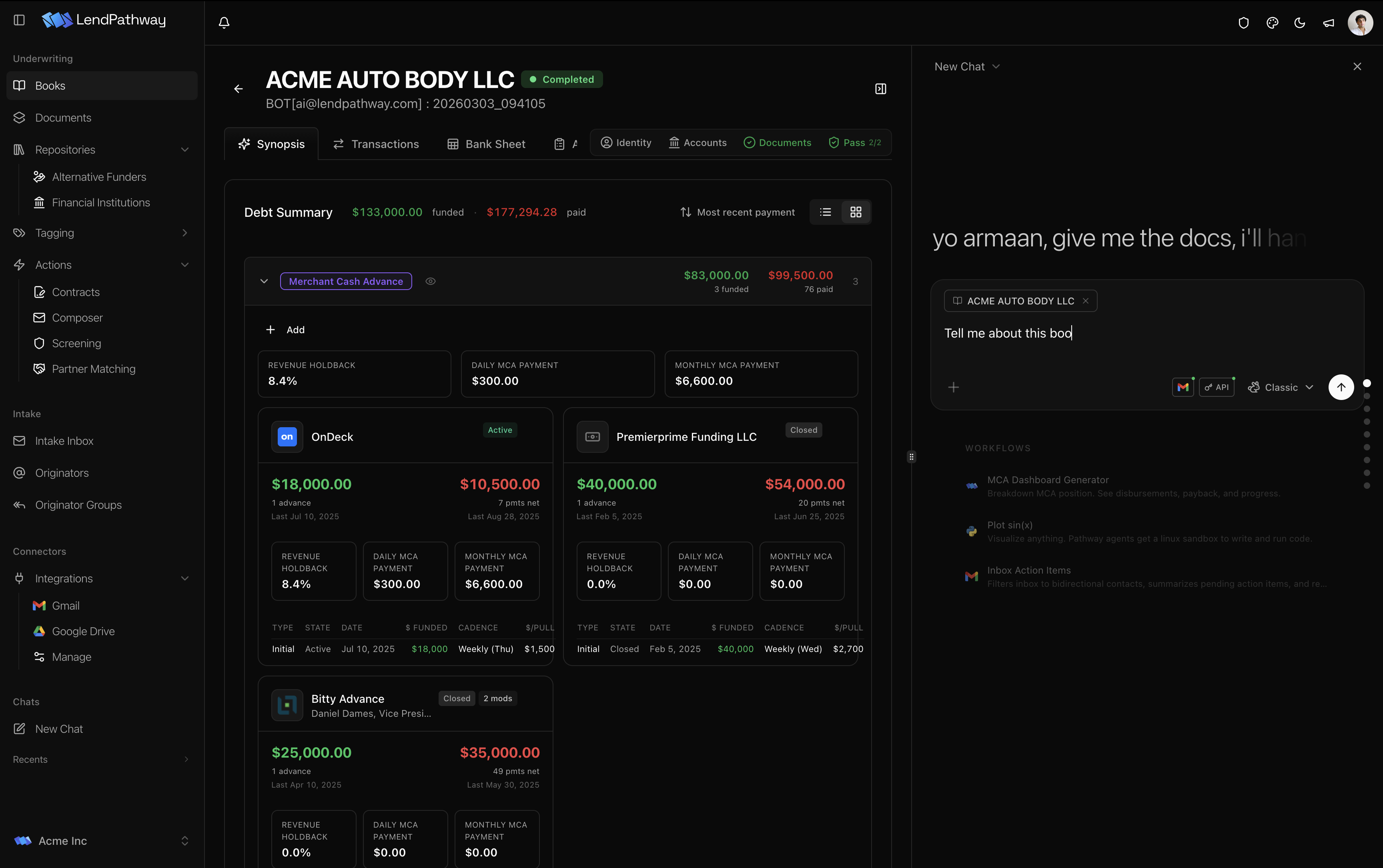
Jack works from the same data the product shows: reconciled ledgers with an ID on every transaction, tags, positions with funder attribution, payment schedules, and screening facts. It reads them live, so every edit your team makes is there on its next call.
Scoped access
Jack has your permissions and nothing more. Its access to platform data is read-only.
- Read-only token
- A temporary token carries your exact permissions. Writes return 403, and the token is revoked when the chat ends.
- Connectors per chat
- Books, Gmail, Slack, and the Pathway API are switched on per chat, so each task carries only what it needs.
- Approval to send
- Gmail is read through a read-only proxy. Every outgoing email waits for your approval.
What comes back
Files Jack saves render in the chat: images inline, HTML reports in a sandboxed frame, Excel workbooks as live previews, and PDFs and dashboards. Skills for PDF reports, table extraction from scans, dashboards, and web research load only when a task needs them.