Decisioning · Screening
Write your credit policy as rules.
Choose from about 90 metrics across the statements, application, credit report, and offer. Compare a metric to a number or to another metric, scope each side to a period and a set of accounts, and match on state, entity type, or funder. Every book is screened as it arrives, and each verdict shows the numbers behind it.
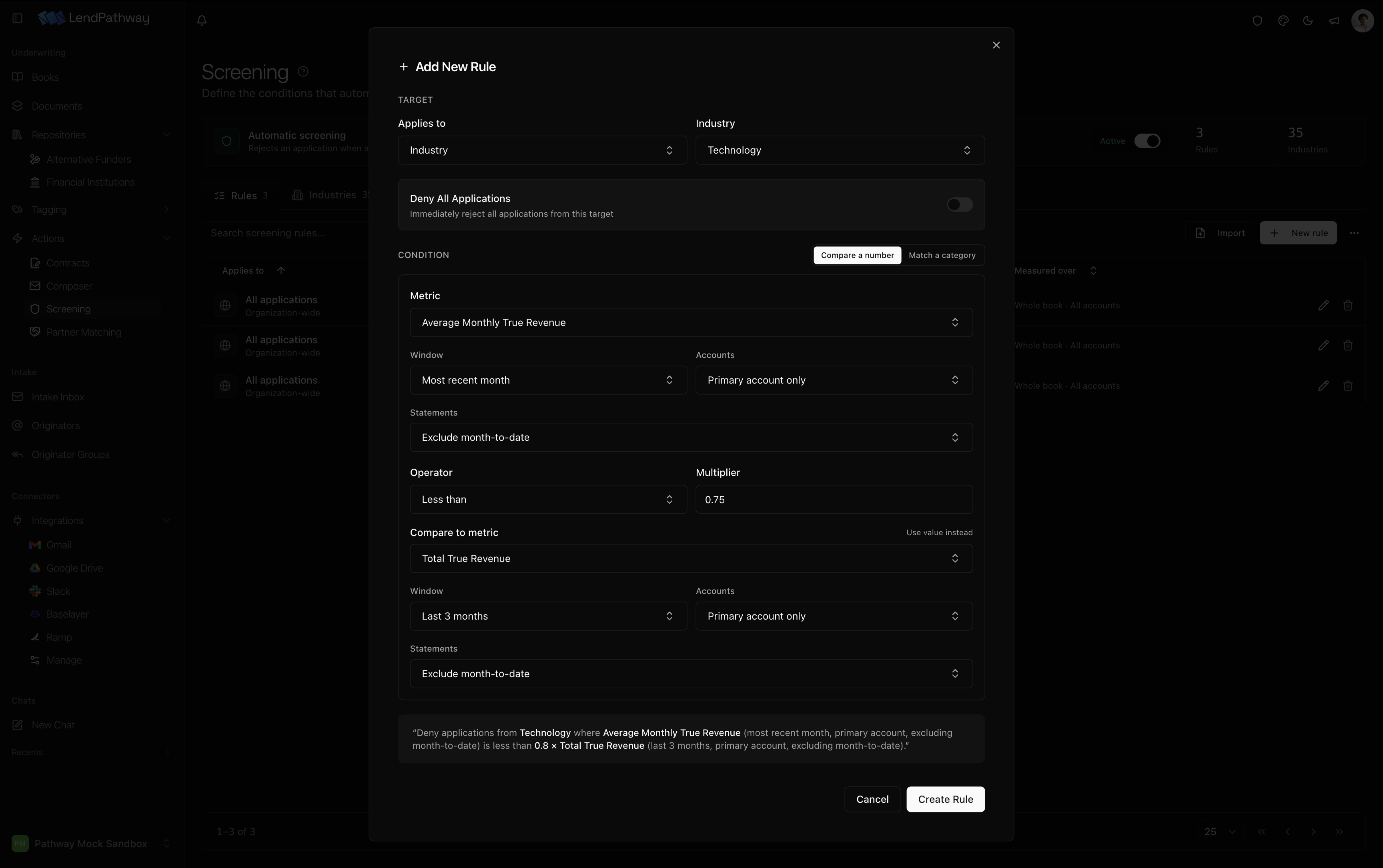
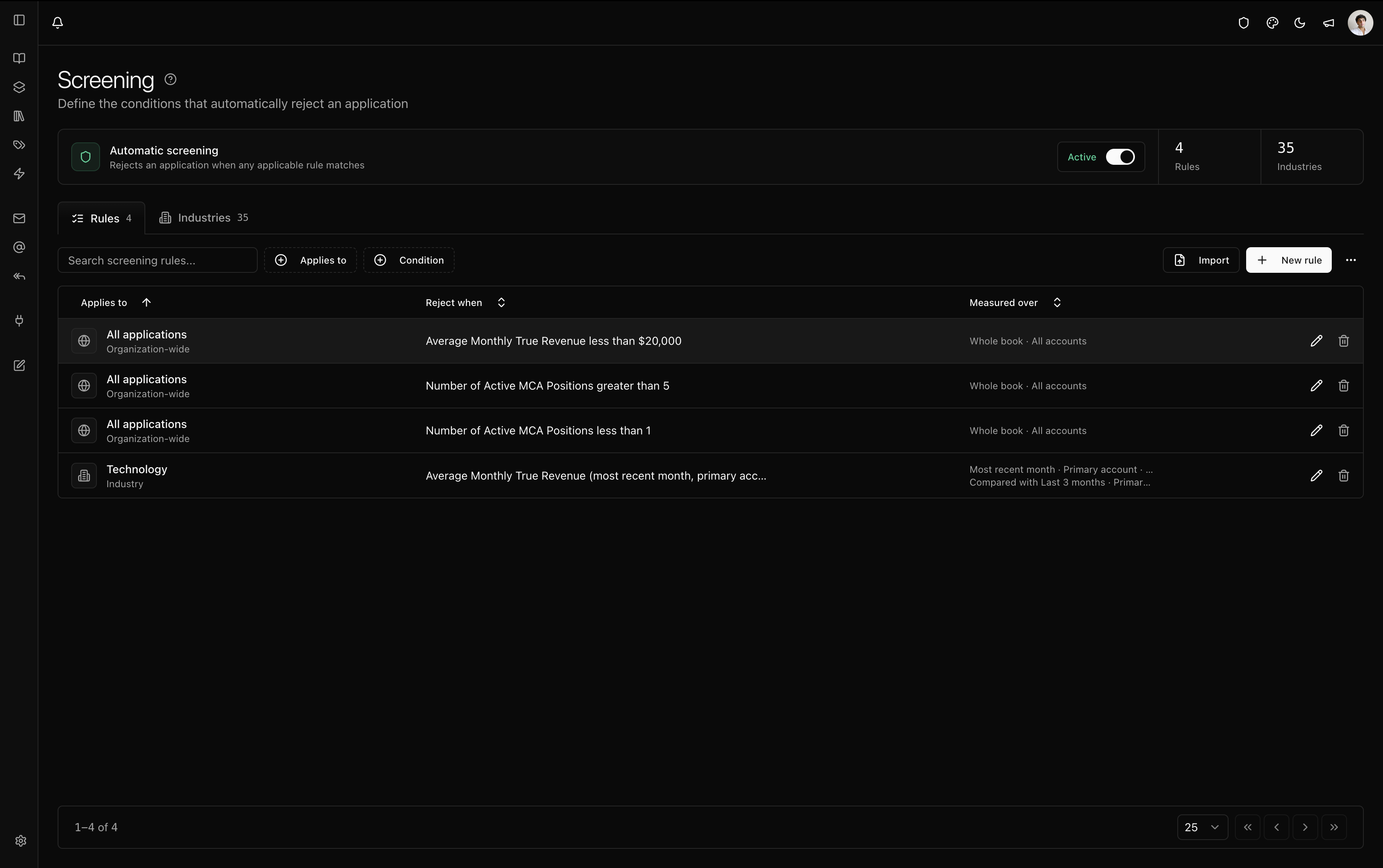
Rules as equations
A rule is a metric, an operator, and a value. The value can be another metric with a multiplier, so “average daily balance < 0.3 × average monthly revenue” is one rule. When the condition is true, the deal is rejected.
Scope each side
Each side of a rule has its own period (the whole book, the most recent month, the previous month, or the last three months), its own accounts (all or primary), and its own statement filter (all statements, excluding month-to-date, or month-to-date only). “Last month’s true revenue < 0.7 × the three-month average” compares a full period with its trend.
Categories
Rules can also match categories: entity type; the state on the application, the owner’s home state, or the state on the statements; and the funders behind active or closed positions. “Reject if any active position is from a funder on this list” is one rule.
Verdicts that show their work
Every rule reports one of four outcomes: failed, passed, skipped because the deal is outside the rule’s state or industry, or not evaluated because a value is missing. A missing value never rejects a deal. The verdict shows each equation twice, once with metric names and once with the book’s numbers.
Rules apply live. Change one and every book is screened again without a reparse.
Partner matching
The same rule builder describes each funding partner’s guidelines. Every parsed book is checked against every partner, and you can send the deal to the partners it passes from your own Gmail, with its documents and an underwriting sheet attached. Pathway records which partners received each deal.
Where verdicts appear
Verdicts show on the book, in the intake inbox, in the reply email, and as a column and filter in the books list. With LendSaaS connected, a rejecting rule can file the decline on the deal with the reasons you attached to it.