Outbound · Spreadsheets
Fill your own spreadsheet templates.
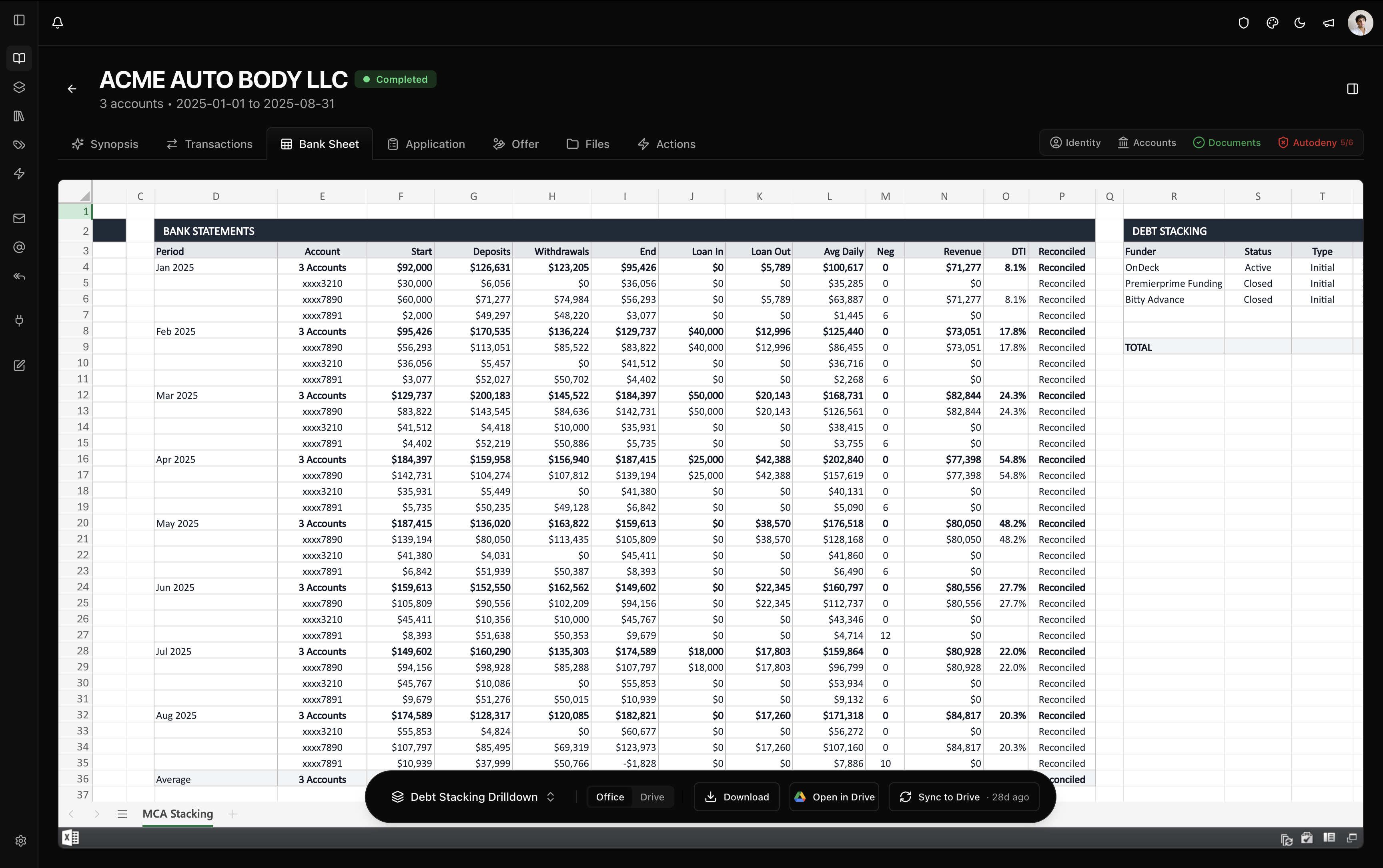
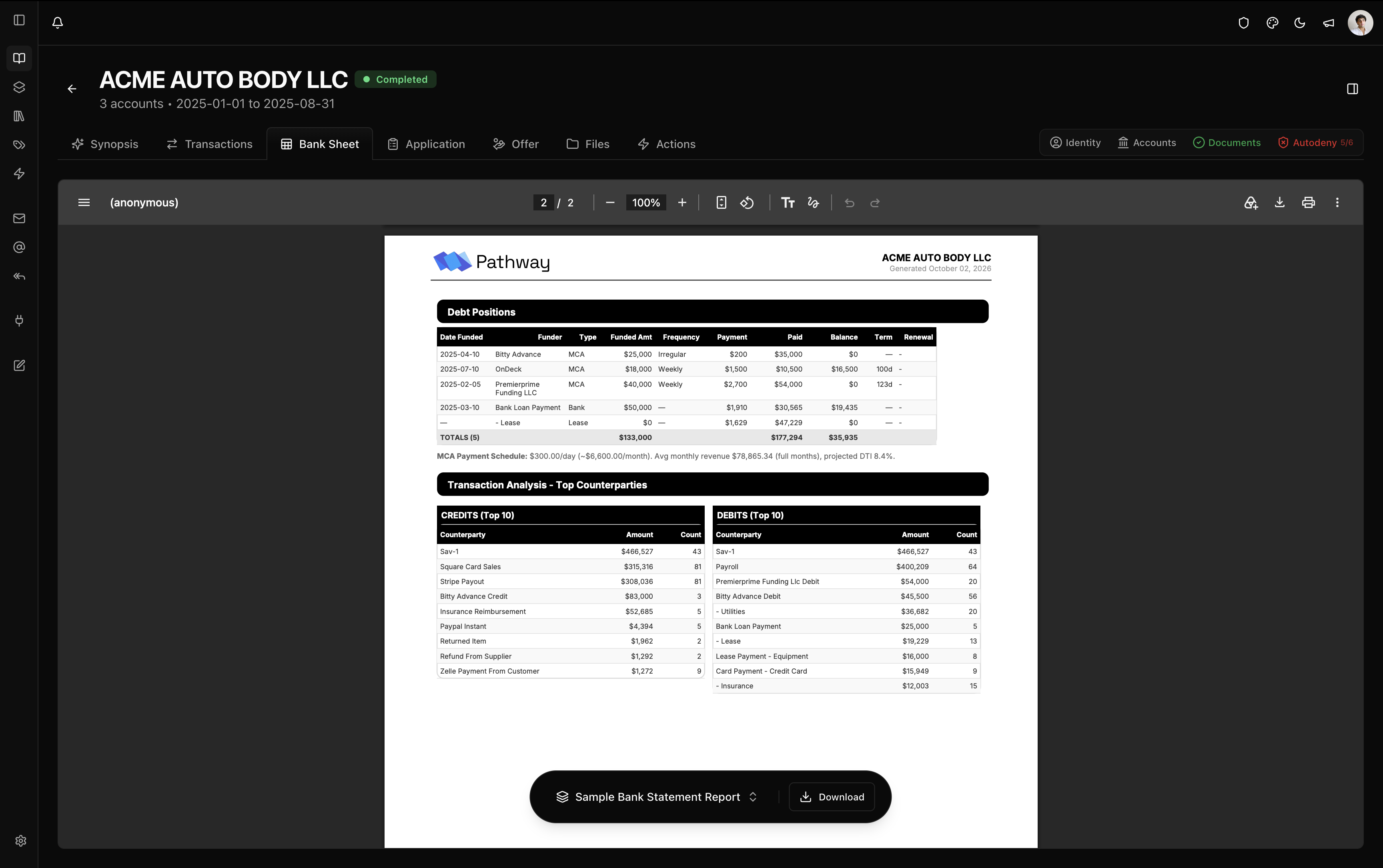
Generate workbooks with live formulas from the parsed deal: monthly columns, stack views, credit and LOC scrubs, qualifying income, or your own Google Sheet filled through named ranges. Open them in the browser, download the .xlsx, sync to Google Drive, or export the PDF report.
The gallery
Each template builds from the same parsed book.
- Monthly Columns
- Deposits, true revenue, DTI, and payment frequency by month, with an offer calculator beside the stacking table.
- Stack View
- One row per payment schedule across every MCA position: funder, amount, frequency, remittance, and status.
- MCA Stacking Pro
- Per-funder blocks with every schedule, missed and modified payment dates, and holdback as a live formula.
- Credit Full and Summary
- Scores, revolving credit, DTI, and derogatories per bureau, or a single-sheet summary.
- LOC Scrub
- Delinquencies, revolving utilization, unsecured loans, and a DTI panel per bureau, with a combined tab.
- Qualifying Income
- W-2, Schedule C, and pass-through income with qualifying income calculations.
Your own template
A template can be backed by a Google Sheet your team maintains. Pathway exports the sheet and fills its named ranges with the book’s data, so the export follows the workbook your underwriters already use. Functions such as XLOOKUP and FILTER keep working in Excel.
Where they go
Workbooks open in the browser, download as .xlsx, or open in Google Sheets. Each organization sets a default template per document type. When Pathway creates a LendSaaS deal, it fills the deal’s worksheet once and leaves later edits alone.
Exports carry no Pathway logo, and PDF reports can carry yours.